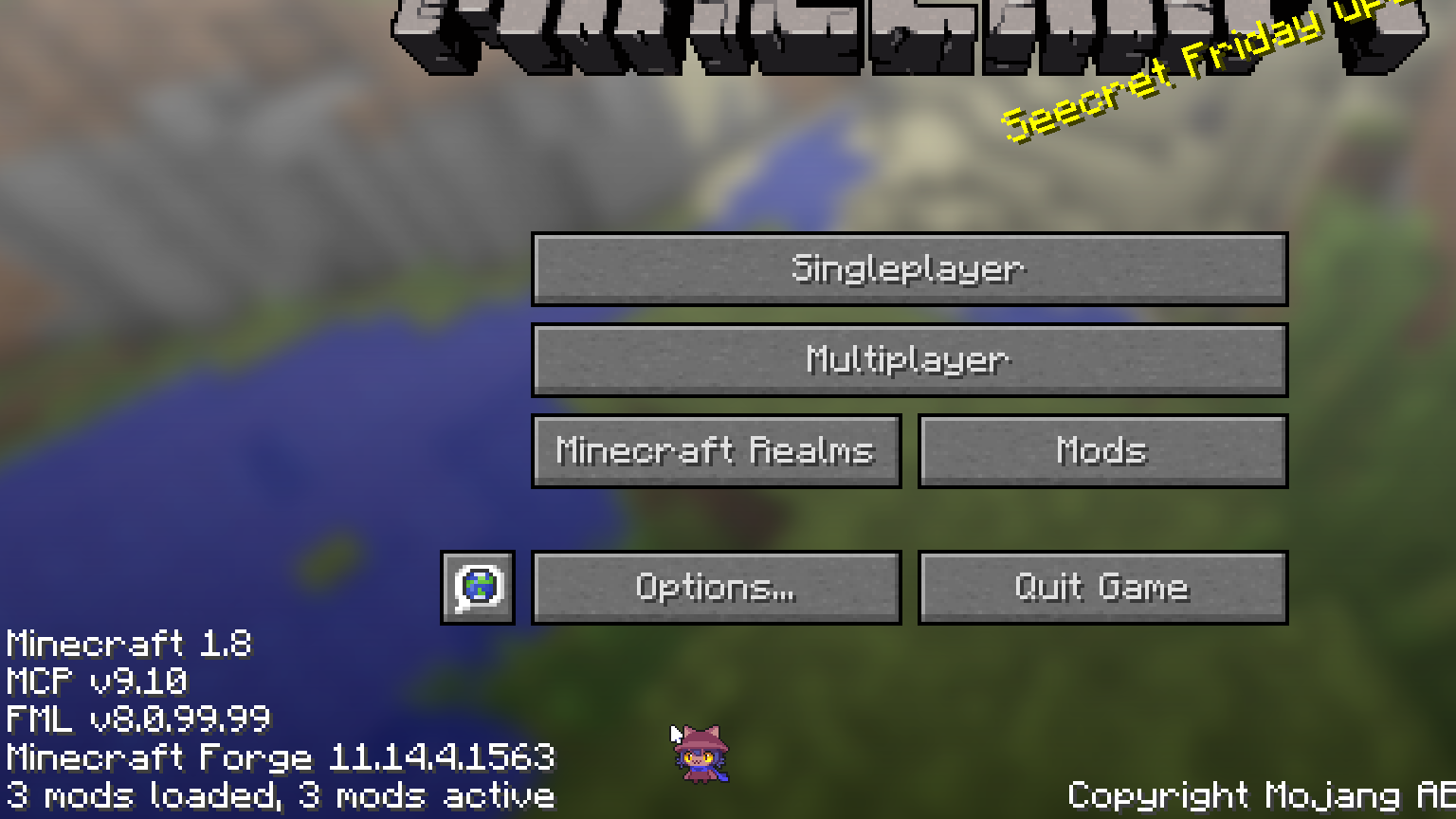
minecraft turns like 1.2x the size it should be, that estimation was probs really wrong but anyway. It happens in vanilla yes. yes it happens until 1.12.2 I think vanilla too and it gets fixed in 1.13 that is that one aquatic update. I remember something about a rewrite of the code or of something there but I don’t actually remember any specifics??
                             Voidlinux
                             CPU: AMD Ryzeb 5 5500 x 12
                             GPU: GeForce RTX 2060
                             Kernel: Linux 6.18.53_1
                             Init System: runit
                             Uptime: 3 hours, 19 mins
                             Packages: 1071 (xbps)
                             Display (MG500 V2): 1920x1080 in 24", 60 Hz
                             Login Manager: LightDM 1.32.0
                             Desktop Environment: Xfce4 4.20
                             Memory: 5.13 GiB / 15.51 GiB (33%)
                             Disk (/): 24.25 GiB / 103.78 GiB (23%) - ext4
                             Disk (/home): 203.33 GiB / 346.82 GiB (59%) - ext4
I should probs reduce the root partition size someday actually.
I also had that one problem where you switch to the 2th and 6th slots in the hotbar while shifting but that has a mod apparently.
Try using PrismLauncher since it allows you to apply java window size commands before game launch (and load additional fixes if you need those due to some strange config).
1.13 had something called the Flattening, but that’s related to item IDs and a general overhaul to the base game code. I doubt much was twisted graphically there.
Fair enough! I already use prism launcher, I will check that.
Minecraft scales with window size. Try using your window manager’s full-screen option rather than Minecraft’s own.
I used to have to do this on an old computer because, for a while at least, I found that Minecraft’s full screen didn’t play nice with vsync, and I got screen-tearing, but windowed mode had no such problems. The problem resolved itself either due to a Minecraft upgrade or something in the graphics driver, X11 or the kernel finally got patched. Still not sure which.
When you use the WM’s full-screen, Minecraft (or at least older Minecrafts) will still think it’s in windowed mode. Newer Minecrafts seem to be wiser to the trick, but you shouldn’t have any such trouble.
Anyway, I used to bind Alt-F11 in the system keybinds (actually I still do, just in case) and used that rather than regular F11 to toggle mode.
Tangentially, I also have a keybind that moves the Cinnamon panel to the top of the screen. For a while, the trick didn’t work and I had to run Minecraft maximised. Having the panel at the bottom under the game’s UI was a distraction. At the top I could tune it out along with the window’s title bar. I found that having the panel auto-hide, which misbehaved, or just disabling it outright, were too much of an inconvenience, hence figuring out a hack that moved the panel.
That situation didn’t last long. Maybe a point revision or two of Minecraft, and that was definitely well after 1.12.
Just doing alt+f11 works out of the box :]
Huh. I guess it’s possible it’s always been a thing in my WM and I thought I set it up. I do like to fiddle with the keybinds to do funky things. And lots of things carry over between machines and reinstalls if you move your entire home directory around like I do, so it’s easy to forget what’s original and what’s not.
Now that I think about it, maybe the change I made was to add Alt-Enter as an alternative for Alt-F11 as a carry-over from DOS prompts in the old days, and Alt-F11 was already there.
Anyway, if it solves your problem, that’s all that matters!
Hmm, ty, I will try to do that soon.